
Every job application you've created, in one list
Stop juggling spreadsheets
See every application — job description, company, date, and status — in a single list.
Included in every job application kit
- Tailored resume
- Cover letter
- Job-match score
- Interview prep
Behired in the press and trusted by job seekers


Our users land roles at

















What a job tracker does
A job application tracker keeps every role you’ve worked on — and its current status — in one place. In Behired, every application you create carries the job description, company info, the date you created it, and a status you can update as things progress.
How it works
Every application, every status, in one view
- 1
Create an application
Every job you tailor a resume or cover letter for shows up automatically.
- 2
Update its status
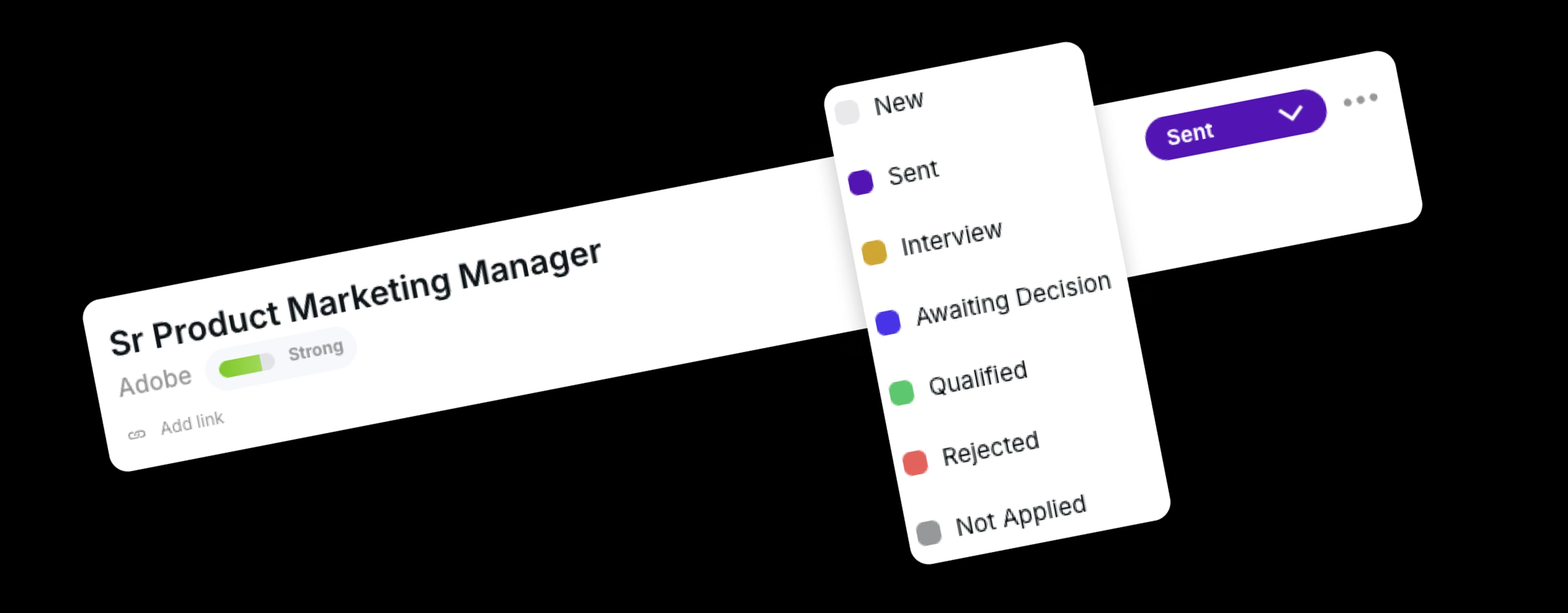
Set each application to New, Sent, Interview, Awaiting Decision, Qualified, Rejected, or Not Applied as things change.
- 3
See everything in one view
Job description, company, date created, and current status — for every application you've created.
A clear status for every application
Seven statuses cover every step — from researching a role to landing the offer.
One list
Every application you've created, with the context you need
Each row carries the job description, company info, and the date you created the application — alongside a status you set yourself. No re-typing into a spreadsheet, no separate workflow to maintain.
Sr Product Marketing Manager
Adobe
Jul 31, 2025
Marketing Specialist
Apple
Jan 14, 2025
Growth Marketing Manager
Spotify
Jun 12, 2025
Frequently asked questions
What is a job application tracker?
A job application tracker is a single list of every role you've worked on — with its job description, company, date, and current status — so you always know where each application stands.
What statuses can I track?
Behired uses seven statuses: New, Sent, Interview, Awaiting Decision, Qualified, Rejected, and Not Applied. Move each application along as it progresses, or park it in Not Applied if you decide to skip it.
Does it connect to the rest of Behired?
Yes. Every application you create — when you tailor a resume, write a cover letter, or run a job match — shows up in the tracker automatically, with the job description, company, and date already attached.
Is it free?
Behired is one paid plan (Pro), billed monthly. You can cancel anytime.
Stay organized
See your whole job search at a glance
Every application, every status, in one list.